

With USB Image Tool, you can backup and restore any kind of storage device connected to your USB port. This includes MP3 players, flash memory drives, card readers, digital cameras, cell phones and any other kind of device that uses the USB Mass Storage Protocol. The program is very easy to use, simple and effective.
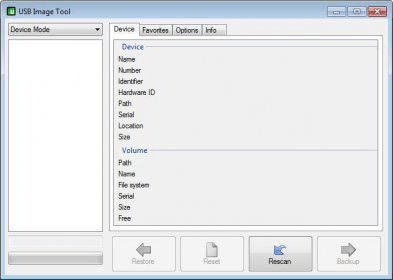
The application’s interface is divided into four tabs: Device, Favorites, Options and Info (program information). The device tab shows general device information like name, storage size, file system used, free space, etc. In the favorites tab you can create a list of your favorite image files (backups) for the device. This is useful if you often need to change the contents on the drive.
When you backup a device, the utility creates an image file with all of the drive’s contents, including free space data. This means that if you have a 1GB storage device with 500MB of free space, the image file will occupy 1GB of disk space. Fortunately, the program can also compress the image files to zip or gzip formats.
Overall, this program has no flaws and considering that it’s also free, it touches perfection.






Comments